



Follow Us



Blog
August 19
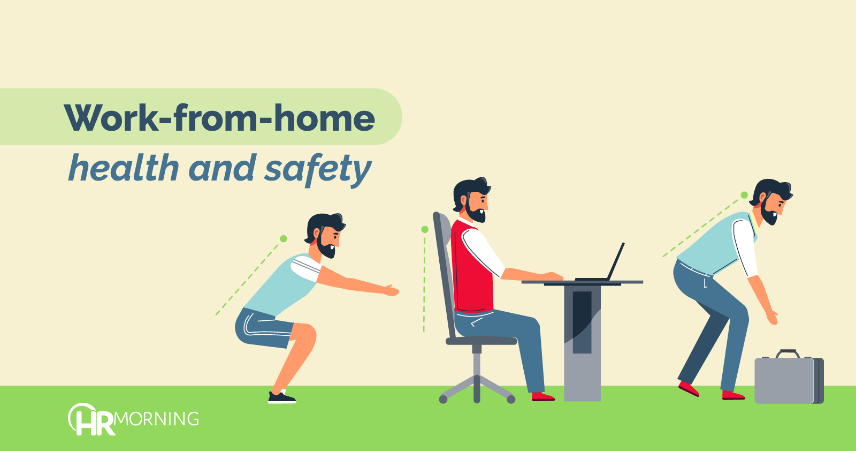
Keep Employees Safe: 7 Ergonomic Tips for Home



It’s great to work from the couch … except maybe for the aching back, tired eyes and sore neck. They’re nasty results of ergonomic sins we need to avoid.
And most brought home or picked up unsafe habits – ergonomically speaking – that have or will lead to unnecessary pain, discomfort and even injury.
More than 40% of employees work from home in some capacity since the onset of COVID-19, according to research from Stanford University.
The last thing you want is aching or injured workers who aren’t as effective or engaged.
“If you build the right culture, you can rely on what you already did well,” says Howard Spector, CEO of SimplePractice, an electronic health record and practice management software provider. “Start by taking good care of your employees and you can continue to do that under any circumstances.”
Whether work from home is temporary or long-term, employees need an ergonomically fit space. You’ll want to support healthy and safe work habits and practices at home, no matter how long they’ll be there.
Here are seven strategies to help keep employees working from home safe and healthy.
1. Make office benefits available
If employees already have ergonomically correct tools in their on-site workspace, let them get a hold of those for home.
To make sure everyone would be comfortable at home, SimplePractice gave employees time and space to go in the office and grab their chairs, keyboards and anything else that made their workspace comfortable.
You might set up a schedule so employees can be in the office alone and get items they can easily remove and adapt in their work-from-home space.
Ideally, everyone should try to replicate their workspace at home. If that means two screens, take them both home. If it’s an exercise ball for an office chair, grab it.
2. Set up computer, keyboard, mouse
If employees use a computer and keyboard primarily, it’s vital those are set up safely for comfort. If any piece – the keyboard, mouse and/or monitor – are out of whack, employees will likely end up with their necks or backs out of whack, too!
For the keyboard:
- Position it at the edge of the desk, ideally using a palm rest for the wrists. Or get an adjustable keyboard tray to install below the desk surface.
- Keep elbows at the side in about a 90-degree angle and shoulders relaxed while typing.
For the mouse:
- Position it next to the end of the keyboard on the same level.
- Add a wrist rest, if possible, so no one has to reach too far.
For the monitor:
- Position it so the top third is eye level.
- Stay centered directly in front of the monitor.
If employees use a laptop primarily you might want to invest in a few gadgets to make it more comfortable at a desk. You can get these for about $50 from Amazon and other retailers. Try a:
- laptop/tablet stand that will allow employees to lift the screen to eye level.
- folding keyboard that puts their hands in a more natural position when typing.
- wireless mouse that can be placed on level with the folding keyboard.
3. Set up the chair
Experts discourage people from working while sitting on a couch or easy chair … or anything other than a desk chair or one of its ergonomically correct alternatives.
Whether employees get their chairs from the office or they’re new, it’s important to make sure they’re set up well. Five keys:
- Adjust it to a height where both feet rest firmly and evenly on the floor.
- When seated, employees want two finger lengths between the back of their knee and edge of the seat.
- Try to tilt your chair pan slightly forward for a comfortable slope. If the chair doesn’t have tilt capabilities, put a flat pillow across the back half of the chair for a natural tilt.
- Adjust the seat back for a straight posture that mostly supports the space between the waist and the bottom of the shoulder blades. Or, if the seat doesn’t adjust, try a rolled-up towel to gain lumbar and back support.
- Remove armrests if you primarily type to maintain good posture, experts suggest.
4. Light it up
Some people might say an upside of working from home is getting away from fluorescent office lighting. But home lighting has its own disadvantages: Too much natural light causes glares that lead to squinting and eye strain. Too little or ill-directed light causes strain, too.
The Occupational Safety and Health Administration suggests employees:
- Position their desks and monitors so windows are in front of and beside their desk. If there’s only one window, employees want it positioned to their right.
- Adjust blinds so there’s light in the room, but none directly on the monitor.
- Use indirect or shielded lighting from lamps where possible to avoid intense lighting in the field of vision.
5. Follow the 20/20/20 Rule
Once the logistics are worked, employees need to beware of greater eye and neck fatigue. It happens because people aren’t distracted as often by colleagues and meetings. Instead, they stare at the computer for hours.
To avoid fatigue, practice the 20/20/20 Rule: For every 20 minutes of staring at the monitor, look away for 20 seconds at something 20 feet away.
6. Switch it up
Eyes aren’t the only thing that get fatigued while working for long periods at a home office computer. The body also needs a change to avoid burnout.
If possible, experts recommend changing actual work spots and positions throughout the day. For instance, employees can do a few hours at the desk. Then they might put their computers on a kitchen counter and stand for a while. Weather permitting, they can take it outside later.
7. Break away
Employees can enhance good ergonomic practices by transferring healthy elements from the office to home.
For instance, Spector of SimplePractice wanted to make sure his employees had access to physical wellness when they had to leave behind the company gym and office exercise classes.
He partnered with a fitness app to provide yoga, fitness and meditation classes to all employees. SimplePractice also hired a mindfulness coach to help employees at their convenience meditate and handle work from home stressors.
- No Employee Handbook? You Are One Lawsuit Away from a Very Expensive Lesson.

- The People Behind the Pallet: Why Your Warehouse Workforce Is Your Greatest Safety Liability and Your Greatest Asset

- First Aid Training in California: Why Manufacturing and Professional Services Employers Are Held to the Same Standard of Preparedness

- The Hidden Financial Risk Lurking Inside California Office Workplaces

- Why MedTech Companies Must Prioritize Safety & Compliance Training

- General (2)
- HR Risk Management (1)
- Latest Blogs (261)
Recent Post
Categories
